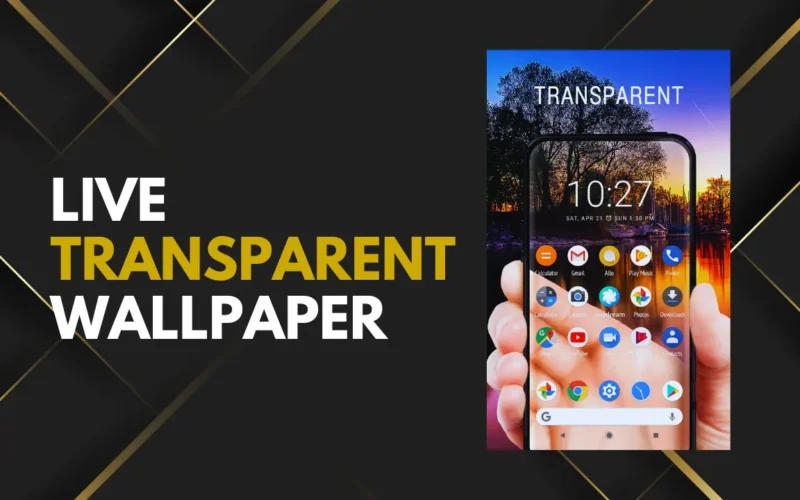
Android phones offer many ways to customize the home screen, but transparent live wallpaper is one of the most eye-catching options. This type of wallpaper makes your phone screen look see-through by using the camera view as the background. When you move your phone, the wallpaper feels live and realistic.
Many users like transparent live wallpaper because it gives a unique and modern look. It makes your phone stand out and feels very different from normal static wallpapers.
In this guide, you’ll learn how to set transparent live wallpaper on Android and what you should know before using it.
What is Transparent Live Wallpaper
Transparent live wallpaper uses your phone’s camera to show what’s in front of you as your background. Instead of a normal image, the wallpaper displays a live camera feed, giving the illusion that your screen is transparent.
This effect works mainly on the home screen and sometimes on the lock screen, depending on the app and device. The wallpaper updates in real time, which is why it is called a live wallpaper.
Why Use Transparent Live Wallpaper
Transparent live wallpaper is popular because it looks cool and different. It gives a futuristic feel and makes your phone look more interactive.
Some users like it for fun, while others use it to show off their phone’s customization. It also works well for people who enjoy live wallpapers and motion effects.
Things to Know Before Setting It
Before setting a transparent live wallpaper, it’s important to understand a few things. Since the wallpaper uses the camera, it may consume more battery than normal wallpapers.
It also needs camera permission to work properly. This is normal for transparent wallpaper apps, but you should always download apps from the Play Store and check reviews first.
Transparent wallpapers are mostly for visual style, not productivity. They are best used when you want a fresh look.
How to Set Transparent Live Wallpaper on Android
First, open the Google Play Store on your Android phone. Search for a transparent live wallpaper app. Look for apps with good ratings and positive reviews.
Download and install the app you like. Once installed, open the app.
The app will ask for camera permission. This permission is required so the wallpaper can show the live background. Allow the permission to continue.
Inside the app, you will see an option to preview the transparent wallpaper. Tap on preview to see how it looks on your screen.
If you like the effect, tap on the option that says “Set Wallpaper” or “Apply”. Choose whether you want to set it on the home screen or both home and lock screen, if supported.
Once applied, go back to your home screen. You should now see the transparent live wallpaper working in real time.
Customize the Transparent Wallpaper
Many transparent live wallpaper apps offer basic customization options. You may be able to adjust brightness, camera focus, or transparency level.
Some apps allow switching between front and back camera. Most users prefer the back camera for a more realistic transparent effect.
You can explore the settings inside the app to fine-tune how the wallpaper looks.
Does Transparent Live Wallpaper Drain Battery
Yes, transparent live wallpaper can use more battery than static wallpapers. Since the camera stays active, battery usage increases.
If you notice fast battery drain, you can switch back to a normal wallpaper or use transparent wallpaper only for short periods.
Lowering screen brightness and closing unused apps can also help reduce battery usage.
Is Transparent Live Wallpaper Safe
Transparent live wallpaper apps are safe if downloaded from trusted sources. Always read app reviews and avoid apps that ask for unnecessary permissions.
A transparent wallpaper app should mainly ask for camera access. Avoid apps that request access to contacts, messages, or files without reason.
Tips for Better Experience
Use transparent live wallpaper mainly on the home screen, not the lock screen, for better control.
Avoid using it when battery is low. If your phone starts heating, switch to a normal wallpaper.
Choose apps that allow quick enable and disable so you can change wallpapers easily.
Final Thoughts
Transparent live wallpaper is a fun way to customize your Android phone. It gives a unique look and makes your screen feel interactive and modern.
While it may not be ideal for daily use due to battery usage, it is perfect for users who enjoy experimenting with phone customization. If you want something different from regular wallpapers, transparent live wallpaper is worth trying on Android.