Charging your phone doesn’t have to look boring. With charging animations, you can add cool visual effects that appear on your screen whenever you plug in your charger. These animations can show battery percentage, colorful effects, or stylish charging screens.
The best part is that you don’t need to root your phone. Most Android devices support charging animations using simple apps from the Play Store.
In this guide, you’ll learn how to set charging animation on Android step by step.
What Is Charging Animation?
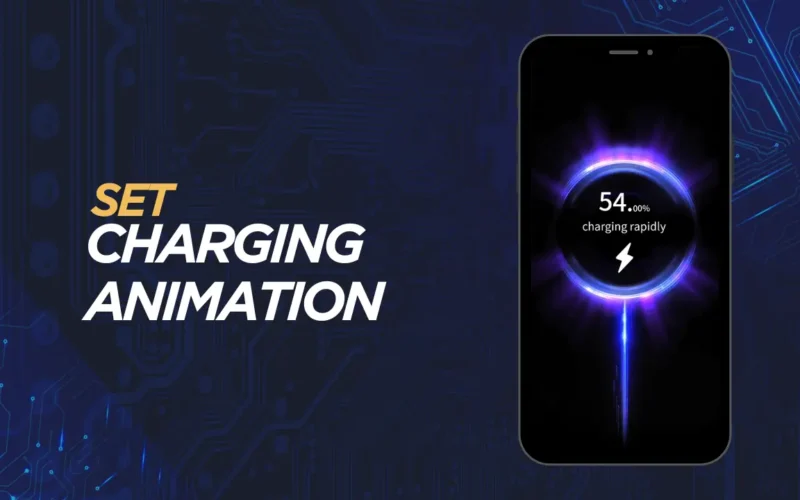
Charging animation is a visual effect that appears when your phone starts charging. Instead of the default battery icon, you see animated designs, glowing effects, or custom styles on your screen.
Many users like charging animations because they make the phone look more modern and fun. Some animations also show useful details like battery level, charging speed, or time remaining.
How to Set Charging Animation
First, open the Google Play Store on your Android phone. Search for a trusted charging animation app. There are many options available, so choose one with good ratings and recent updates.
After installing the app, open it and allow the required permissions. Most apps need permission to display content over other apps and access battery status. These permissions are necessary for the animation to appear while charging.
Inside the app, you’ll see different charging animation styles. Browse through the options and select the animation you like. Some apps offer free animations, while others may have premium designs.
Once you select an animation, tap on Apply or Enable. Now connect your charger to the phone. The charging animation should appear instantly on your screen.
If it doesn’t appear, make sure the app is running in the background and battery optimization is disabled for that app.
Charging Animation Not Showing? Try This
If the animation doesn’t work, check app permissions again and ensure overlay permission is enabled. Also, turn off battery saver mode, as it may block background activity.
Restarting your phone after setup can also help in some cases.
Is Charging Animation Safe for Battery?
Yes, charging animation apps are generally safe if downloaded from trusted sources. They do not affect charging speed or battery health. However, avoid apps that show too many ads or ask for unnecessary permissions.
Tips for Better Experience
Use simple animations that don’t consume too much power. Keep screen brightness low while charging to save battery. Also, close unused apps in the background for smooth performance.
Final Thought
Setting a charging animation on Android is easy and doesn’t require any technical knowledge. With just a few taps, you can make your charging screen look stylish and unique.
If you like customizing your phone, charging animations are a small change that makes a big visual difference.